"Managing a long term design engagement is about keeping open communication, understanding the context of the problems, and having empathy for the users of the product and their needs."
My company was contracted to be the experience design arm of the product, and I was the one who became responsible for visual design, experience guidance, and user testing. Over the year long engagement, I made incremental changes to almost every aspect of the site, elicited qualitative and quantitative feedback from users to inform changes, and developed domain expertise to become a more trusted advisor to key stakeholders. These are the services that I provided.
User Research
Sitting down with users in 1-on-1 interviews, focus groups, and through international surveys allowed my clients and I to learn about their roles and needs, giving us invaluable insight on ways in which the product could be improved.
Product Strategy
Sitting down with stakeholders to go through persona creation, user journeys, information heirarchy and feature stack ranking were a few of the ways that we helped our clients envision their goals and refine their release cycle.
Tool and Collateral Design
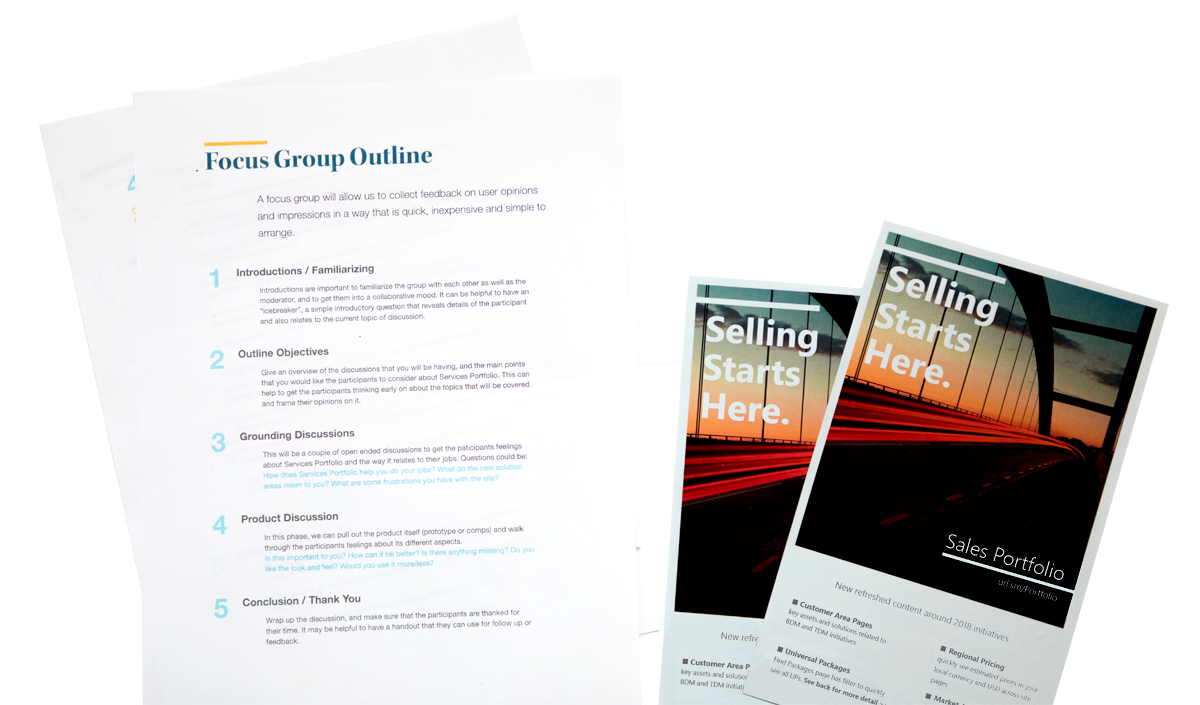
Responsible for the markup that would dictate the new facelifts the site received, I produced countless lo-fi to hi-fi comps, prototypes and code snippets that allowed the product to be realized. I was also responsible for print and presentation collateral and brand adherherance.
"Over a continued engagement of one year, I was the principle designer in charge of concept and execution of iterative improvements to almost every aspect of the Sales Portfolio. It taught me invaluable lessons on client management, project forecasting, and synthesizing data into informed, lean design changes."
Discovering the User
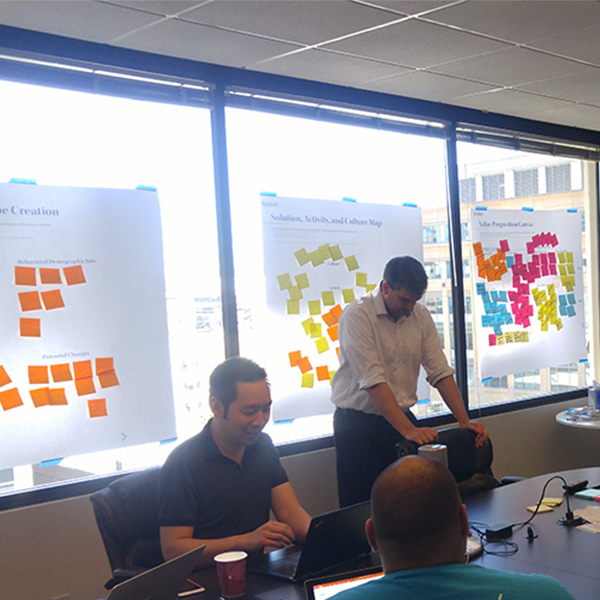
One of our workshops for the service. It was orchestrated by the dedicated team at BluLink, especially the talented Yuri Tran.
It was important for use to be able to understand the professionals who used the service. This was a tool to get thier job done, so by understanding their daily rhythm and how the portfolio fit into it was apramount to making the tool great.
We used the following methods to deep dive into the users context:
- Interviews and Focus Groups Sitting down and talking to users can give a huge insight into their day to day. We were able to use interviews to get an idea of what the sellers were looking for and how to prioritize the info that helped them make sales.
- Surveys Sometimes, you have to get a wide look at the users of your product to get consensus on what they need out of your service. Using modern survey software allowed us to get hundreds of actionable responses to questions about the portal.
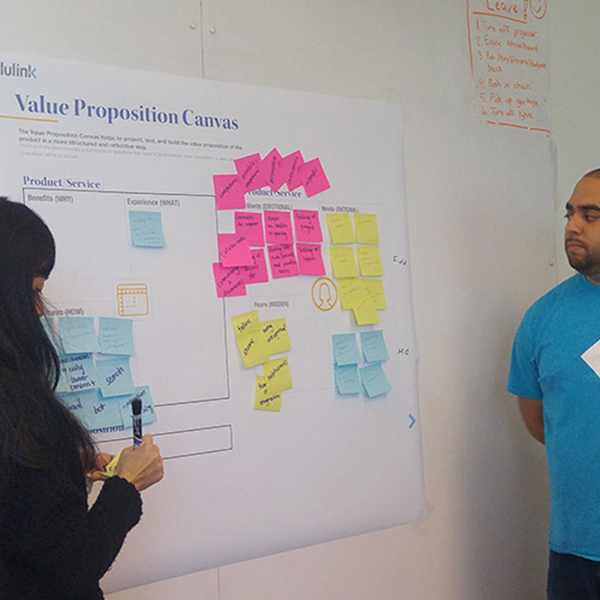
- Workshops Sometimes, a service can fall into a bad spot from too many stakeholders having different perceptions and goals for how it should end up. Getting eveyone into a room together for a comprehensive workshop, let by a UX professional, let us solve problems in a day that would have taken weeks.
Prototypes as Deliverables
When you are trying to show off a design and help others to understand the ways that it solves a given problem, it can make the entire process much easier when you can show them a prototype of the final product to convey flow, interactions, and focal points of the new design. It's not just for testing, here are three parties that benefit from rapid prototyping:
Clients
When you are sitting down to pitch a design, a living, breathing replica of the final result will go miles farther than a static copy. Whipping up a prototype before a design review is not too hard, and it can make a world of difference when the client is able to see the entire service as a consistent, interactive flow.
Users
Prototypes are paramount for user testing; it is the main reason they have become so prominent in the tech industry. You cannot show a user disparate screens to get a genuine reaction. A prototype is required to reflect the interactions that will string together the final product.
Developers
Developers are extremely smart individuals. But it can sometimes be tough to pitch them a vison of a product and expect them to just figure it out. Prototypes can enhance a handoff by letting devs see past simply redlines and documentation; acting as the vision for what the final flow of the product will be.
Final Designs
Most of the visual design work revolved around iterative changes to the different templates and tools on the site. Since we were working with an offshore dev agency, we needed to make sure that our handoffs were detailed and easy to understand. We used an interactive spec export as well as annotated comps to clarify the intricacies of the deliverables, such as how interactive elements should behave and the way that responsive elements should interact within their parent elements.
Landing Page
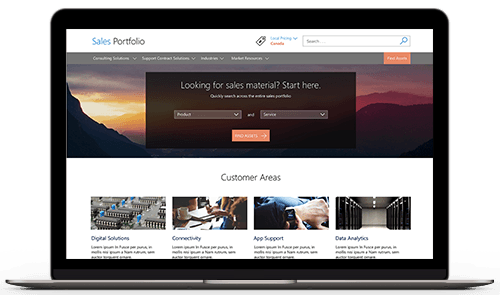
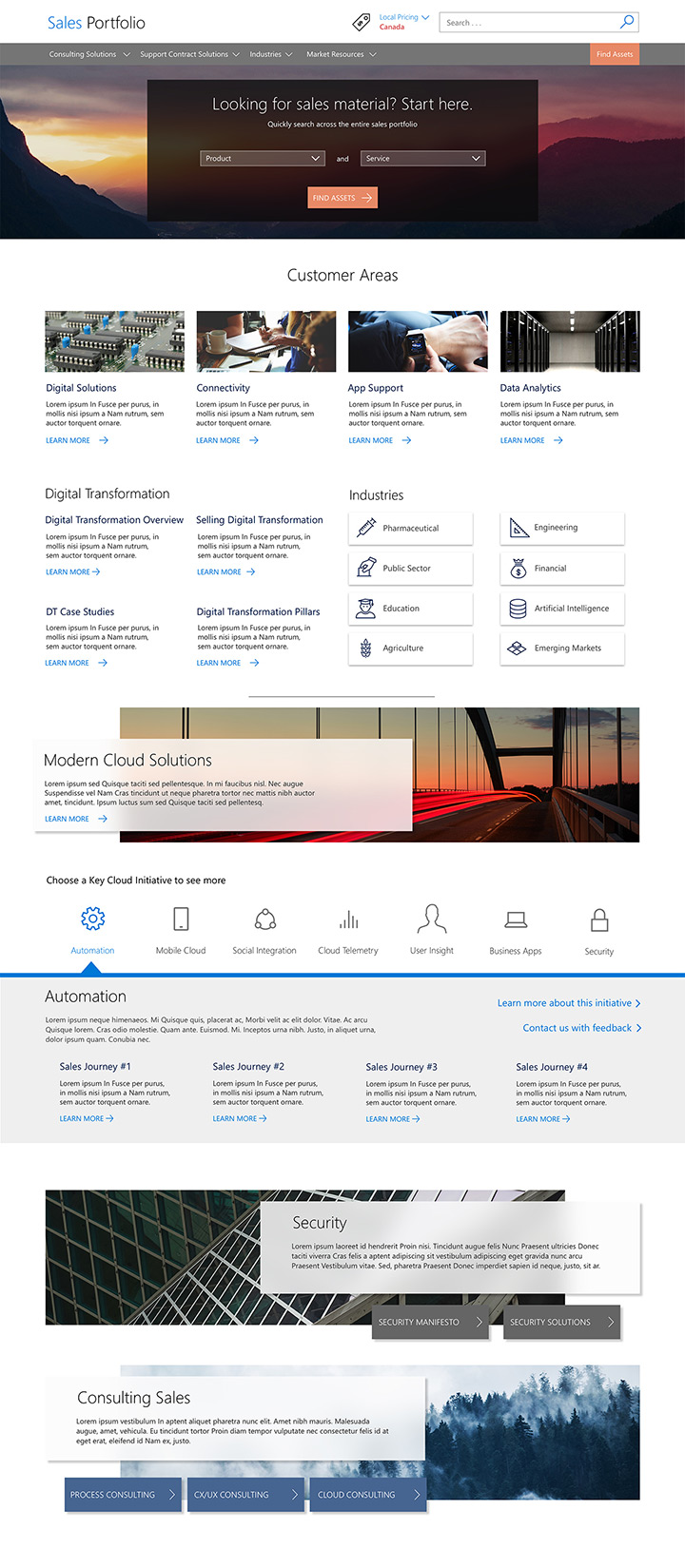
This landing page was made to clearly direct them users through many areas of the site, and also have a pleasant layout with just enough information to allow them to know where they will be going before they click. With such a dense site, it was important that users have a good idea of where links will send them within the site to avoid frustration due to unmet expectations.
"An important concept for experience design is cognitive load: the total amount of mental activity imposed on working memory in any one instant."
The landing page used to be a huge list of text links that ran together and gave little affordance for where the user would be taken. This was due to a very entrenched viewpoint from business stakeholders that keeping content "above the fold" was the way to maintain comprehension of the content. This is far from the truth; attempting to push every bit of content into the first paint of a viewport can cause a very convoluted amount of information to bog down user comprehension with a heavy cognitive load. This is further exaggerated by the complex nature of the orgs dense navigational structure.
The solution was to space elements out more accordingly, allowing only one or two groupings of information to be in the user's focus area at once, and to use elements like photos, icons and horizontal rules to cognitively group related elements. Doing so makes it much more pleasant to browse the content and allows users to quickly associate related elements with each other.
Sales Details
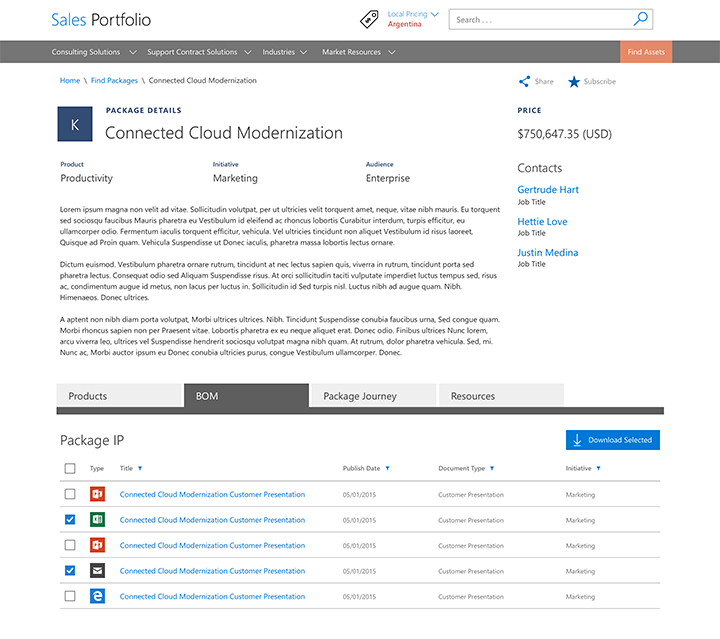
The details page houses the core of the site offerings; it shows the details behind each sales offering as well as the IP documents that are associated with it. We leveraged focus groups and surveys to get a good impression of what information was the most relevant to users when viewing offers, and we used that to inform which metadata to prioritize in the information hierarchy.
Consulting Portal
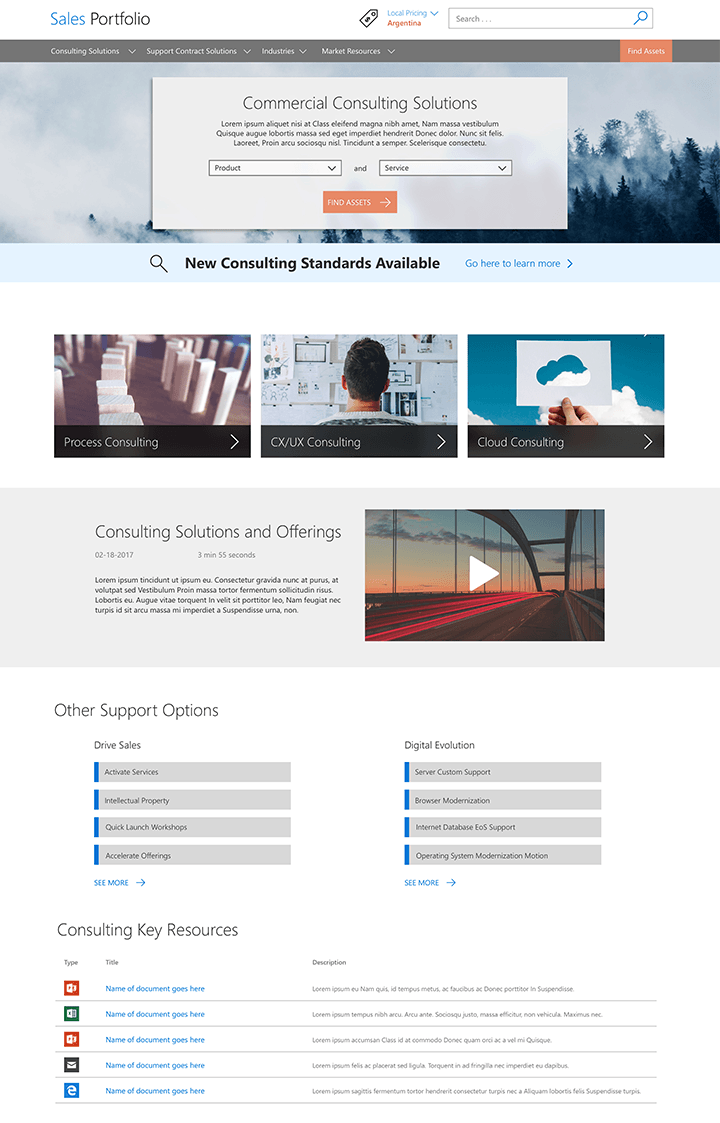
We would occasionally create landing pages for some of the organizations and business alignments within the sales organization; this is one of the larger ones we did for the consulting branch. These pages usually revolved around concepts and resources relating to an important org concept or motion. This allowed me to break apart the walls of information and focus on the story that the stakeholder was trying to tell.
Handoffs
Most of the work revolved around iterative changes to the different templates and tools on the site. Since we were working with an offshore dev agency, we needed to make sure that our handoffs were detailed and easy to understand. We used an interactive spec export as well as annotated comps to clarify the intricacies of the deliverables, such as how interactive elements should behave and the way that responsive elements should interact within their parent elements.
Customer Areas
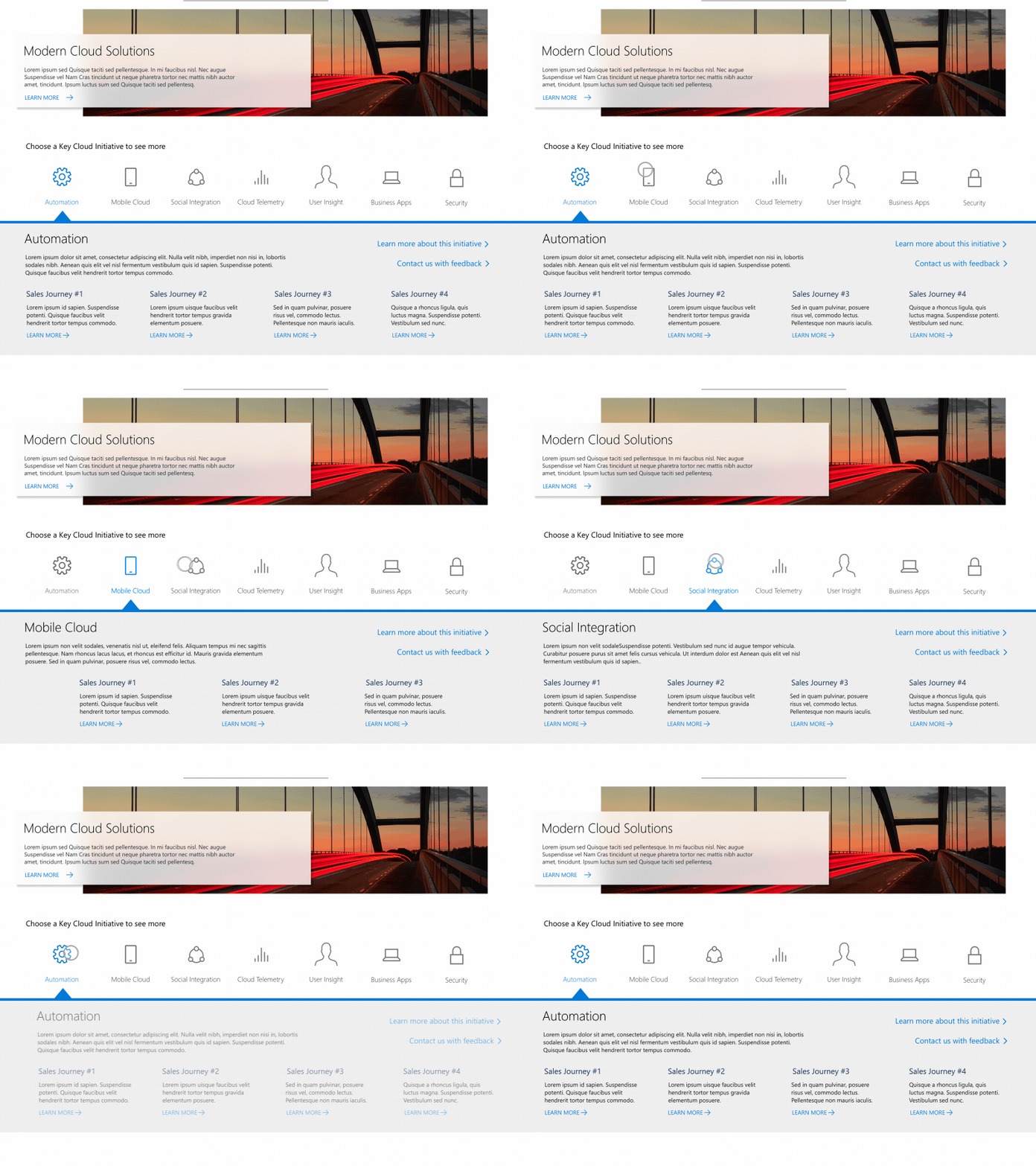
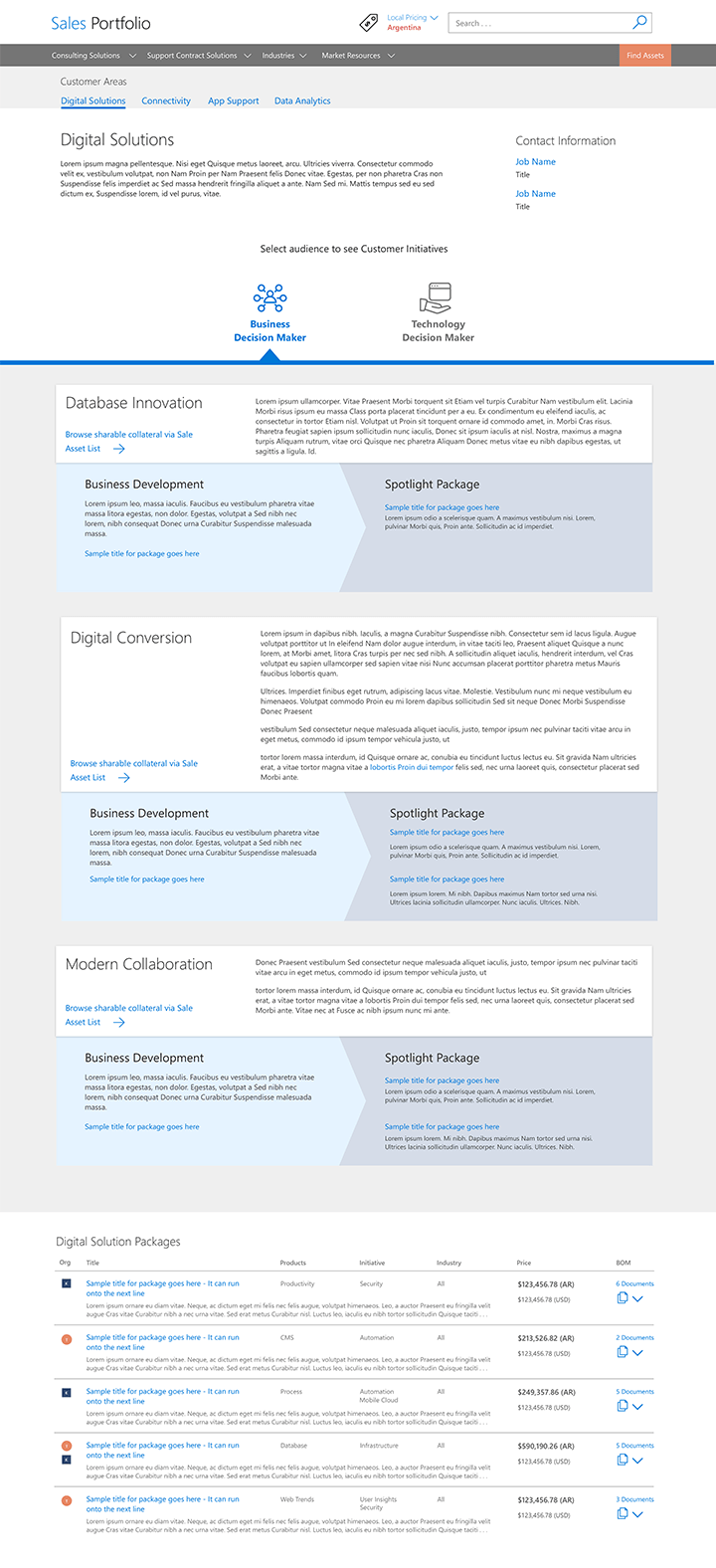
These pages were made to conceptually group related sales offerings along key focus areas called "Customer Areas". These pages showed a journey from a pre-sales conversation to a full product offering; allowing sales reps to have a better idea of where to steer the deals they make. I worked on making the stages very distinct, and allowing the audience to filter by business and technical solutions.
Lessons Learned
Over the course of the entire engagement, I made countless pages, tools and search experiences. It taught me a lot about working with stakeholders and how to manage and estimate time to keep projects on track and within budget. I also learned a ton about the best way to prep designs for handing off to developers.
One of my biggest roles on the project was to advocate for user needs in the projects that we were doing, and that lead to me becoming much better at encouraging more exploration through quantitative and qualitative analysis
I also became much better at working within an established brand framework. Since this engagement was with a very established tech solution company, there was already a well documented brand to adhere to. I made sure to account for everything from colors to type ramp to padding and sizes on elements. This allowed for a consistent experience across the site that was on brand. Eventually, I was able to be an advisor on this brand to the clients, as they tended to not consider it when making decisions on how elements of the site should evolve.
My delivery process became much more optimized through working with Sales Portfolio, and we were able to supplement the client with a huge variety of deliverables; from relines to process architecture, to branded collateral and focus group frameworks, I delivered on every need the client had.