UX DESIGN

Microsoft Partner Network

My team of UX experts helps to manage the user experience of partner.microsoft.com, a critical juncture for Microsoft's partnerships with other businesses. This site is the front door to a huge variety of businesses that rely on Microsoft technologies to sell their services.

My Team

With a versatile set of user centered design skills and a streamlined release cycle, our nimble team improves the user experience for both the story being told on the front end, and the critical pipelines for engagement on the backend.

My Role

Personally, I contribute to the team as a User Experience Designer, bringing to bear my background in User Centered Design and a trained eye for visual design to deliver on time and above expectations.
Working with Partners

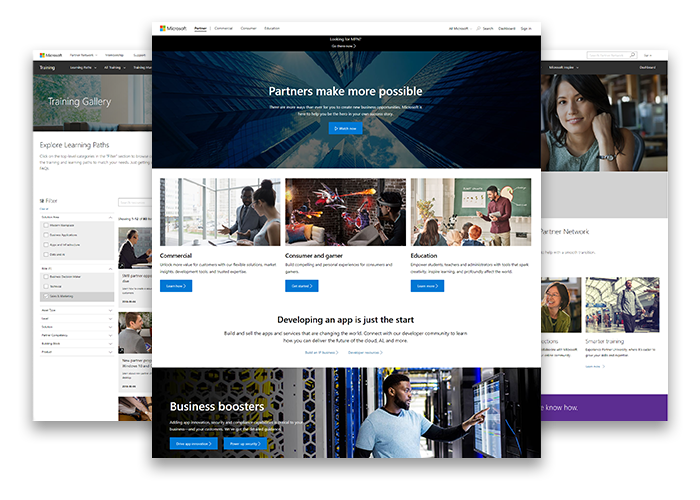
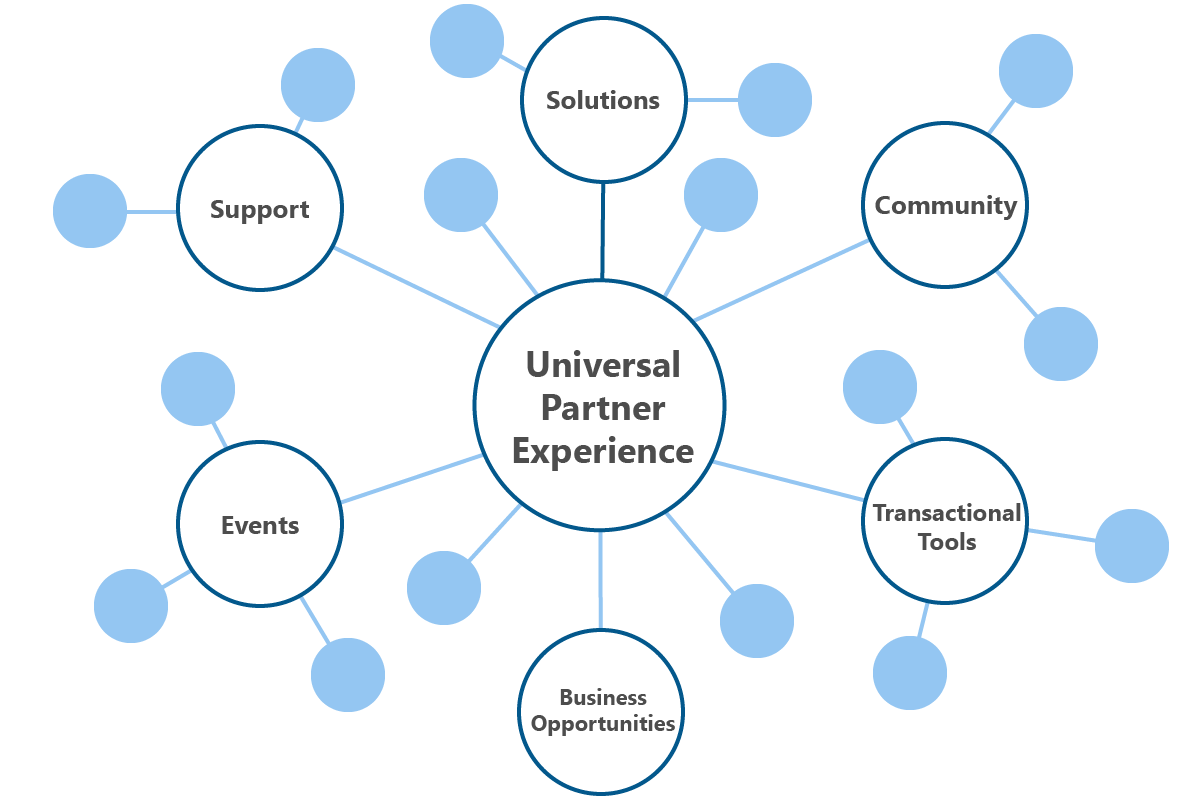
Microsoft Partner Network is not just a site. It is a number of Microsoft organizations that work in concert to make resources available to a wide variety of technology companies so they can build a business around Microsoft technologies. Each supplements a crucial aspect of information, and they are all under the banner of the Unified Partner Experience.

Partners are a big part of Microsoft's business, and with so many users and stakeholders across a huge organization, the need for good user experiences is constant. Fortunately, our team has a design cycle for managing multiple projects at a time.

Here are some design problems across the organization that my team were able to solve with our process:

Here is a typical process I follow to deliver on my responsibilities:

Stage 1

Discovery

User and Market Research

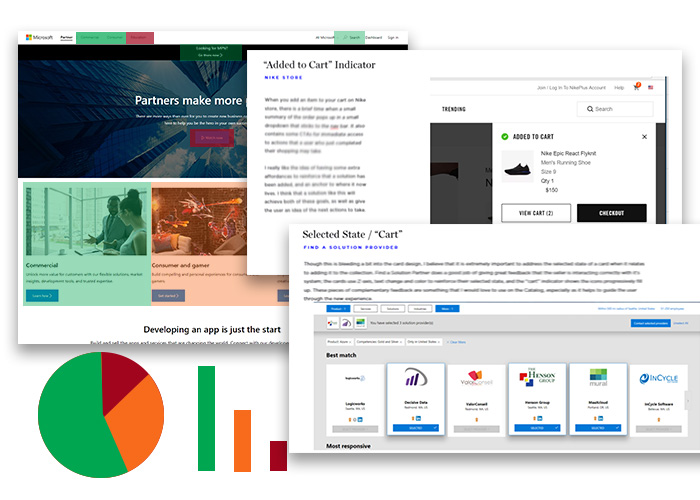
Before getting into designing, it is important to make sure that I understand the context the design will live in and the key goals the user is trying to accomplish on each page. That is why I always start by examining and research or statistics on the key users, as well as researching similar approaches to the problem both in Microsoft's and beyond. Synthesizing this into insights is a crucial first step to solving the right problems.

Example

Partner Support

We were able to gather feedback from users identifying that there were issues with the Partner Support pages; they focused on marketing messages over actual support and made it hard to find solutions to the top issues partners were having. We analysed this feedback; and also did a competitive analysis to see the trends of how other companies and Microsoft sites were constructing their support pages to best serve their users who needed help. This served as a foundation that helped us build a new page that brought the most important issues to the front and made the primary task of searching for support solutions much clearer.

Stage 2

Design

Wireframing

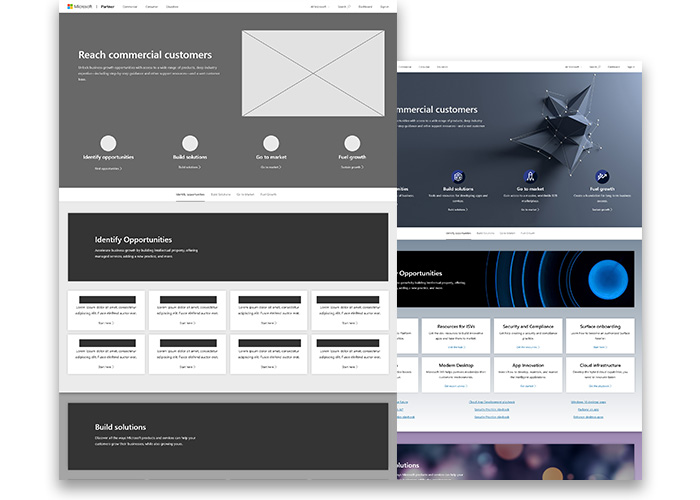
Wireframing is the workhorse of the design process; they are bare bones page designs used to define the hierarchy of items on a screen and communicate what the items on that page should be and how it should be laid out. Validating those and iteratively adding in more detail and styling is how you get great looking high fidelity comps that are built with users in mind.

Example

Partner Learning

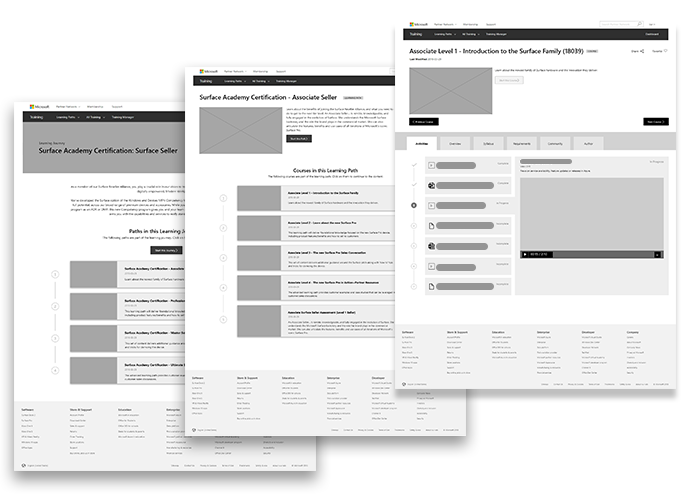
Training is an important part of Partner Programs, and a new organizational structure was needed to support an influx of new content for Microsoft Partner Learning, a Learning Management System that featured courses and events that partners could complete to get important certifications to sell services. We used wireframing to explore a number of structures, such as ways to manage content into courses, ways to view them, and how to link those courses into the greater journey to a certification. Supported by market research into successful LMS’s across the web, these simple design layouts allowed us to present the important interactions and content on the pages without the distraction of assets and branding.

Stage 3

Prototyping

User Flows + Prototyping

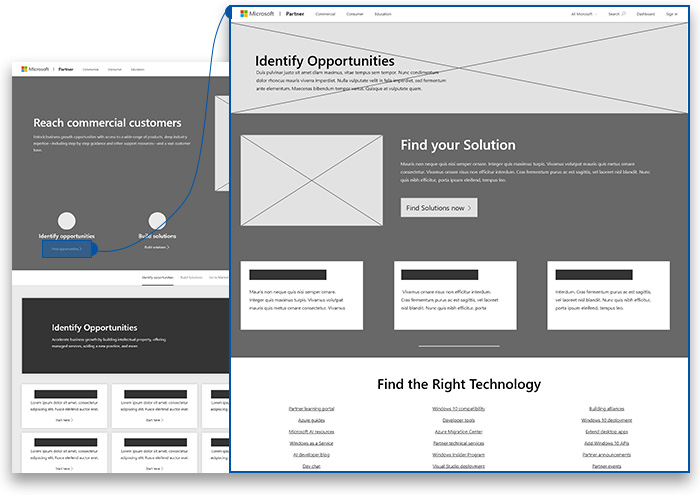
The products we are building for are not static, so why should our design deliverables be? Leveraging Adobe XD to create clickable prototypes is a great asset when pitching a design to Microsoft stakeholders; it helps them to visualize the design as a clickable system and actually walk through the key user flows of their users.

Example

Universal Navigation Changes

Microsoft recently made a change to the way that they structure their navigation, and that change rippled down to affect every Microsoft page, including those under the Universal Partner Experience. After card sorting and whiteboarding sessions, we were able to bring our Information Architecture suggestions to life by hooking it up to a clickable prototype, allowing stakeholders to drill into a number of navigation proposals and see how it impacted their content. This made it much clearer than static comps how effective the navigation would be in a live environment.

Stage 4

Handoffs

Pattern Libraries

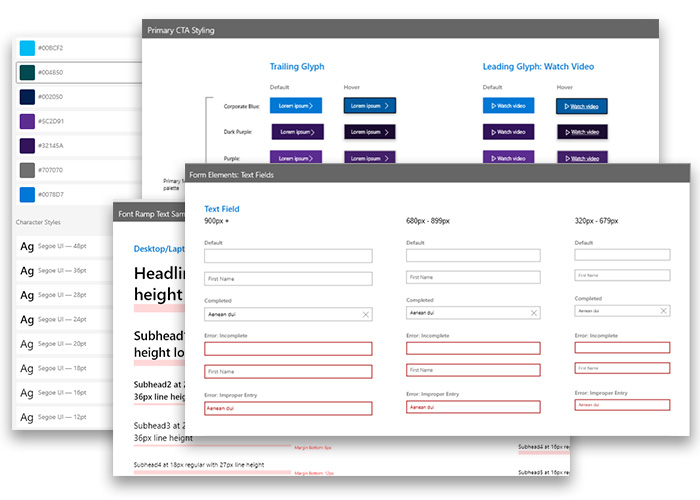
Working on a corporate platform means that we spend as much time talking about feasibility with Microsoft developers as we do talking about objectives with managers. To make sure that the designs we deliver are technically feasible, we manage and maintain a huge pattern library of fully responsive UI components living in the greater Microsoft design system. This allows us to build our designs on a set of building blocks that can be quickly communicated into a fully developed page.

Example

Microsoft Partner Community

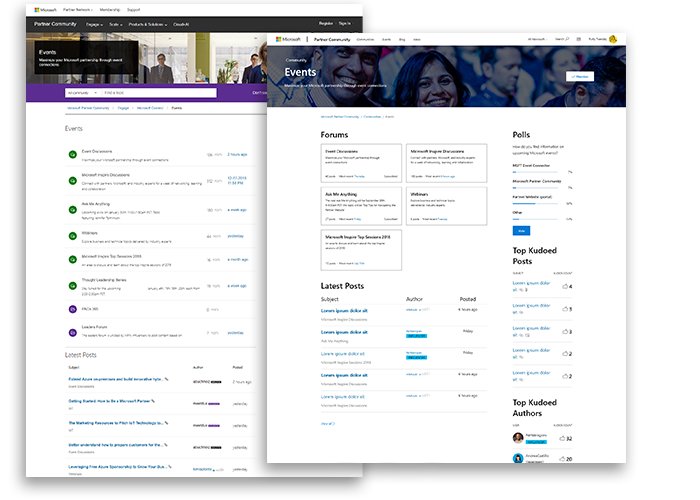
Sometimes my team and I would be brought on to bring a site up to better alignment with the design direction of the greater Partner Experience. MPC was still using some depreciated branding, as well as having need for some updated components and an accessibility analysis of their pages. This would have been a huge development undertaking for the small team, but we were able to leverage our pre existing component library in the design effort to make it as simple as referencing which components appear in each pages context. This allowed there to be a single source of truth between design and development, and massively sped up the process over having to develop net new designs.

Lessons Learned

Working on Microsoft Partner Network was a new challenge every week; from working on backend tools, to modernizing a learning experience, to exploration on navigational structures, there was always a new challenge that required careful consideration. It was important to start seeing each project as a piece of the greater ecosystem; when the aim is consistency for a universal experience each design change could have ramifications that affects many components across the platform.

This kind of system thinking has helped me to grow as a designer by understanding the greater impact of the changes I propose. Rather than making reactive design changes that act as costly band aids, it taught me to take a step back and look at the problem in the greater scope of the design system to find ways to adapt our patterns to accommodate the goals of the user and business.

Home