Gaining a foundation
In the newest wave of AI innovation, there is an ever growing opportunity to create groundbreaking new tools for our customers. But we cannot truly create these until we move the innovation from focusing on the technology to focusing on the customer's needs.
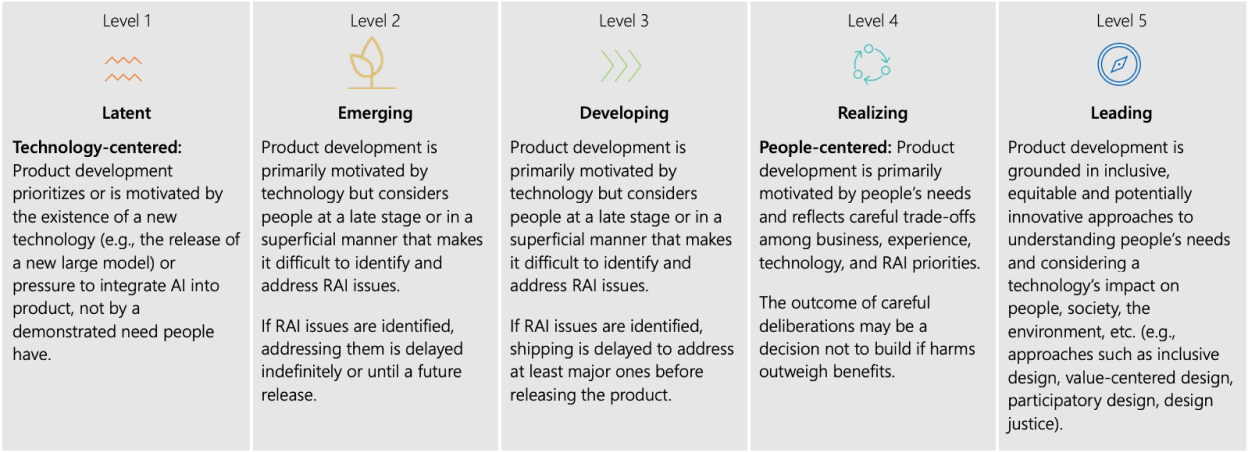
This sample is from the Microsoft Responsible AI Maturity Model, and is discussing the different stages of maturity concerning motivation to build AI products. It aims to show that "Mature RAI product development is centered around people and how best to address their needs, including paying attention to how the product will impact society and environment."
When it came to AI for the nonprofit space, I relied on careful research to identify the greatest areas of need that could be accelerated with AI. Our first stage was a focus on foundational research; sitting down with gift officers, marketers, and key operations specialists across a wide swath of mission types to talk to them about their pain points in their jobs and their aspirations for possible AI tools.
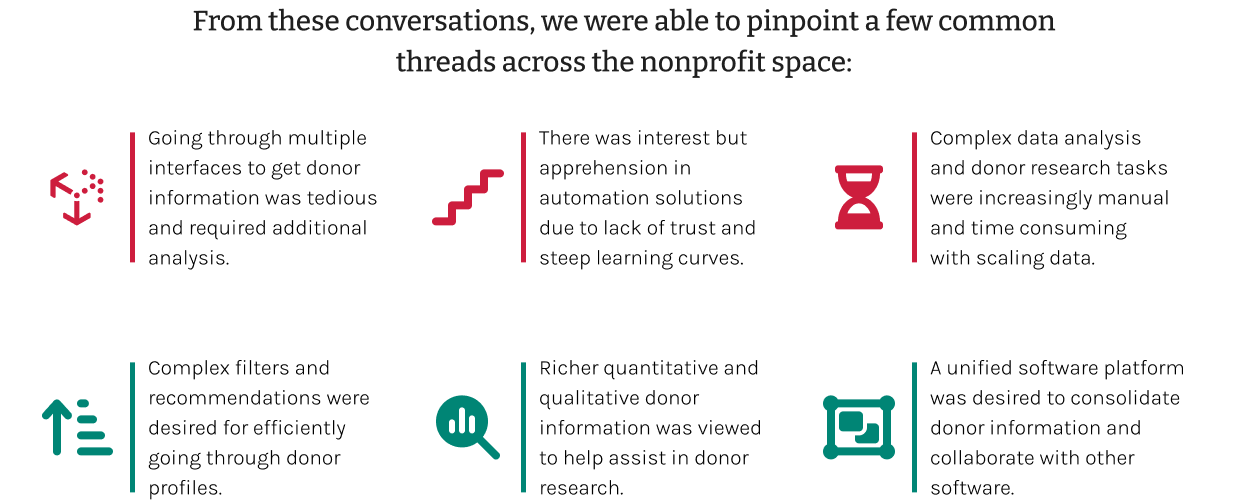
Liklihood to Give: A Categorization Model
A massive area of potential that we identified for our customers was predictive giving; being able to identify which of your contacts are likely to donate in the short term while identifying the greatest influences on the chance and the possible size of the gift. This model trains on historic data and can learn to identify top prospects in new data; bringing them to the forefront and saving huge amounts of potential prospect research for fundraisers.
"We have a lot of data, which is daunting. Looking up donor data is very difficult and time consuming. I would love something that could recommend donor profiles to me."
- Participant 6, Foundational Research Study
There were already some patterns around predictive models in the enterprise apps space at Microsoft; I tracked down the designers responsible for these and made sure to account for where we could adapt their designs for our use cases.
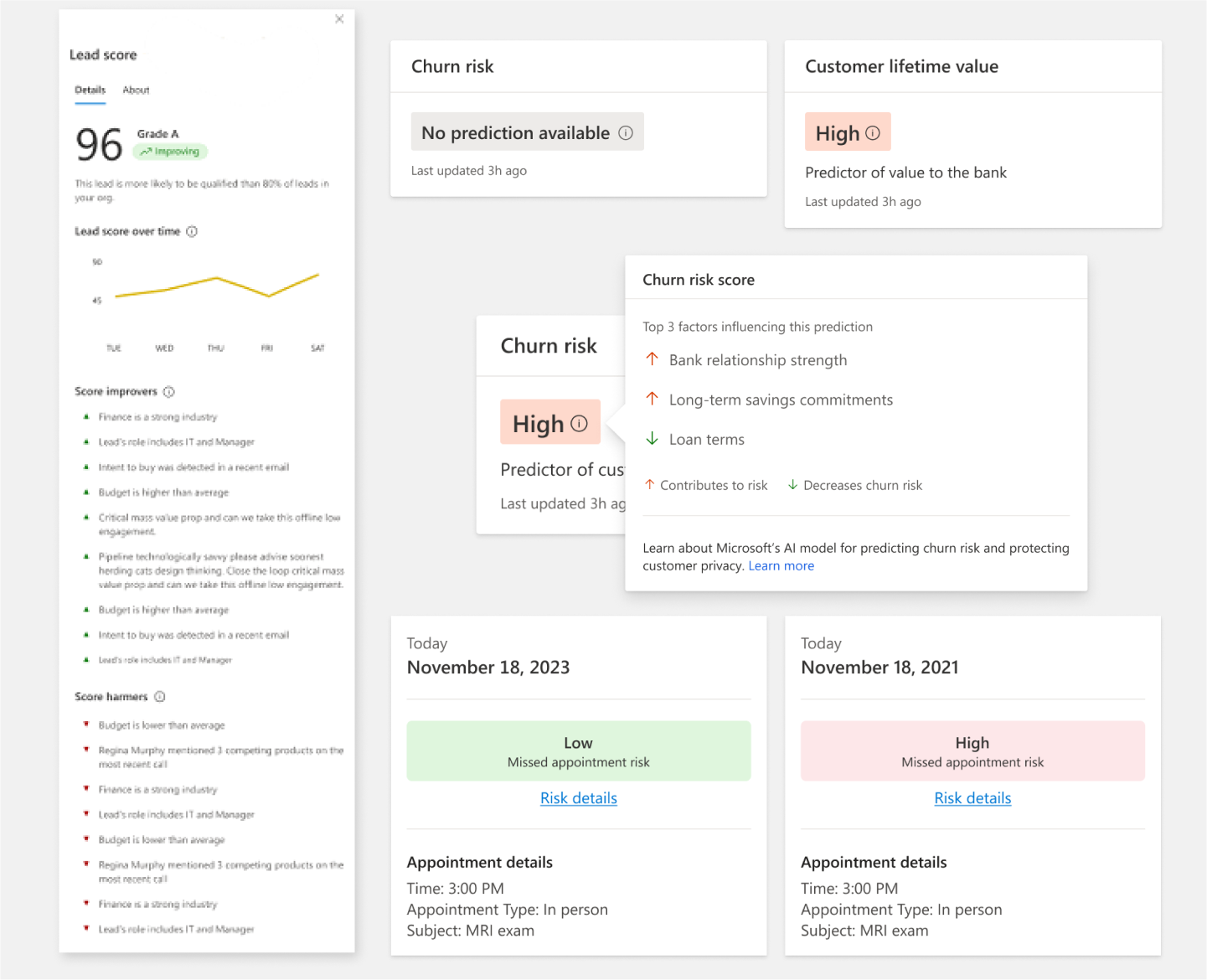
By leveraging the lessons learned from their own research, we were able to move much more quickly on adapting our own designs for a categorization based donor reccomendation tool.
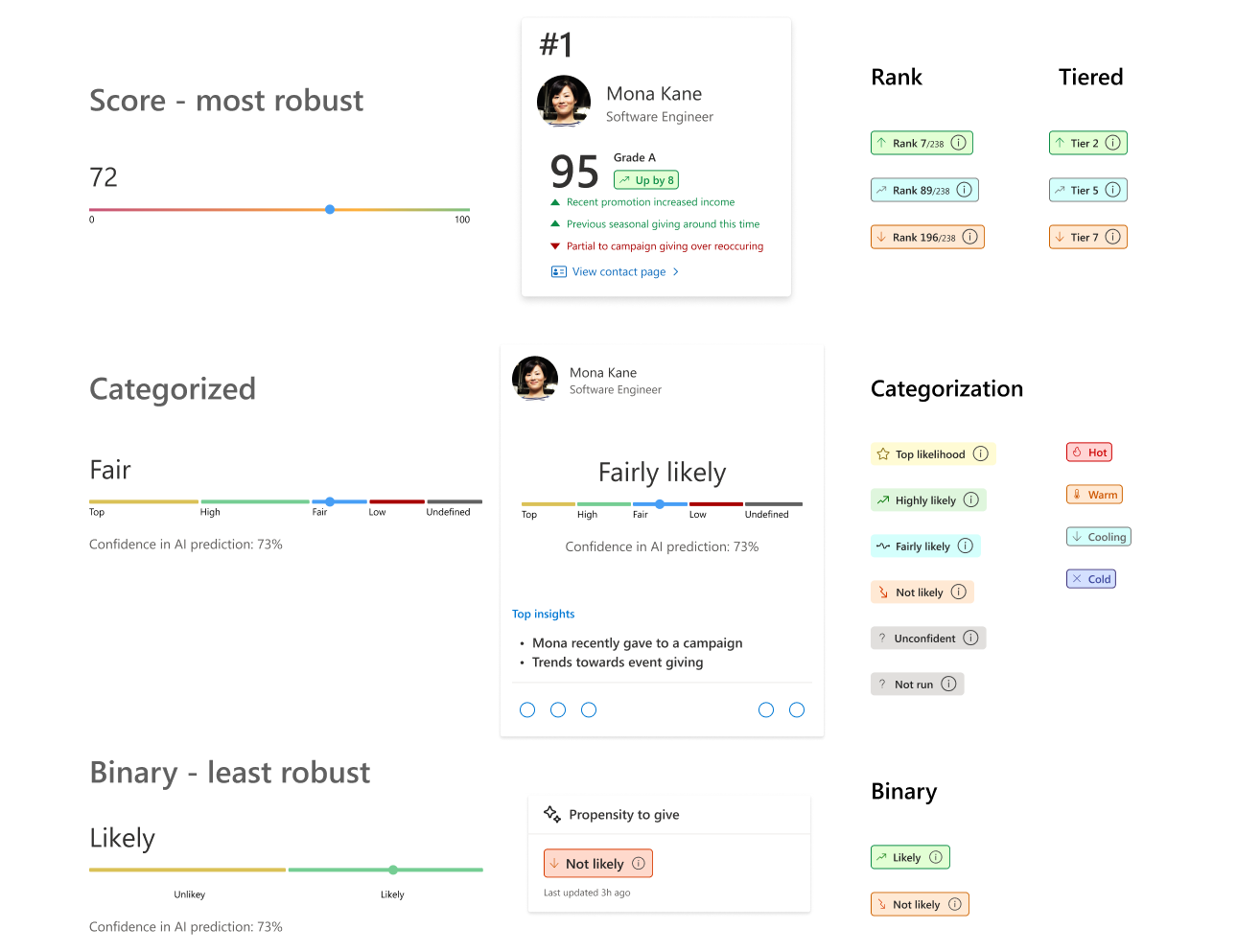
Some samples of our early explorations into how to surface propensity to give categories. At the time, the technical possibilities were still being explored.
Design Evolution: Private Preview
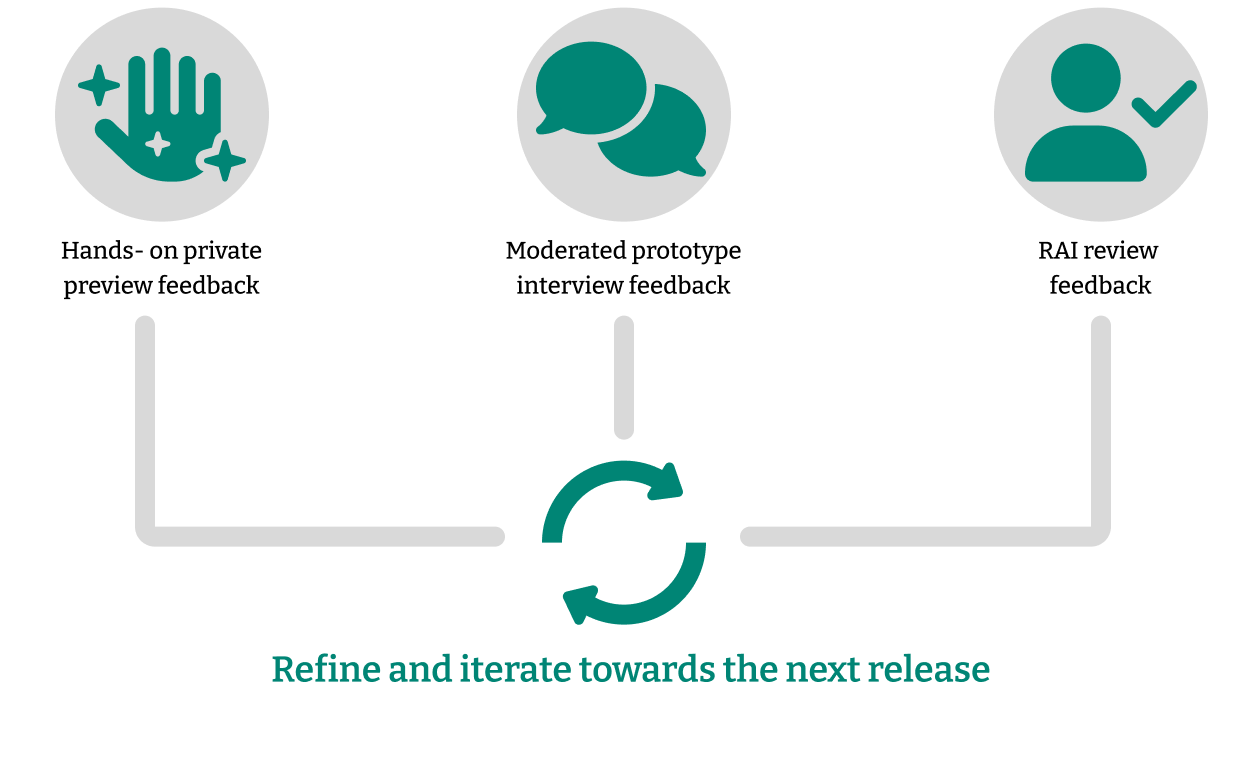
Eventually, we came to our first iteration on the designs. Hooking them up to a prototype, we went back to research, focusing on evaluative research by putting together task based interviews with a few of our key customers. This allowed us to see what was working and what wasn't; continuing such feedback in constant iterations allowed us to move forward to a proposed design.
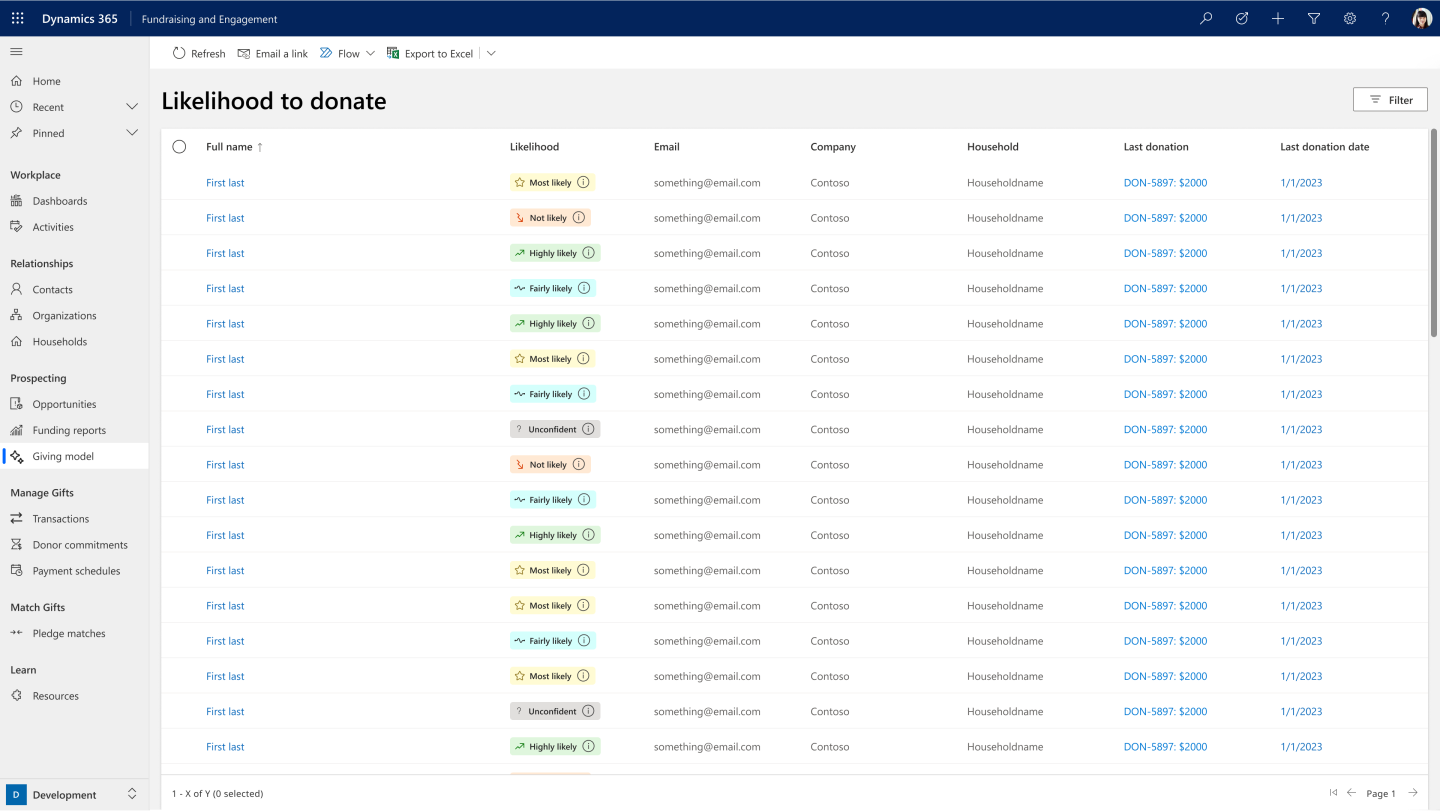
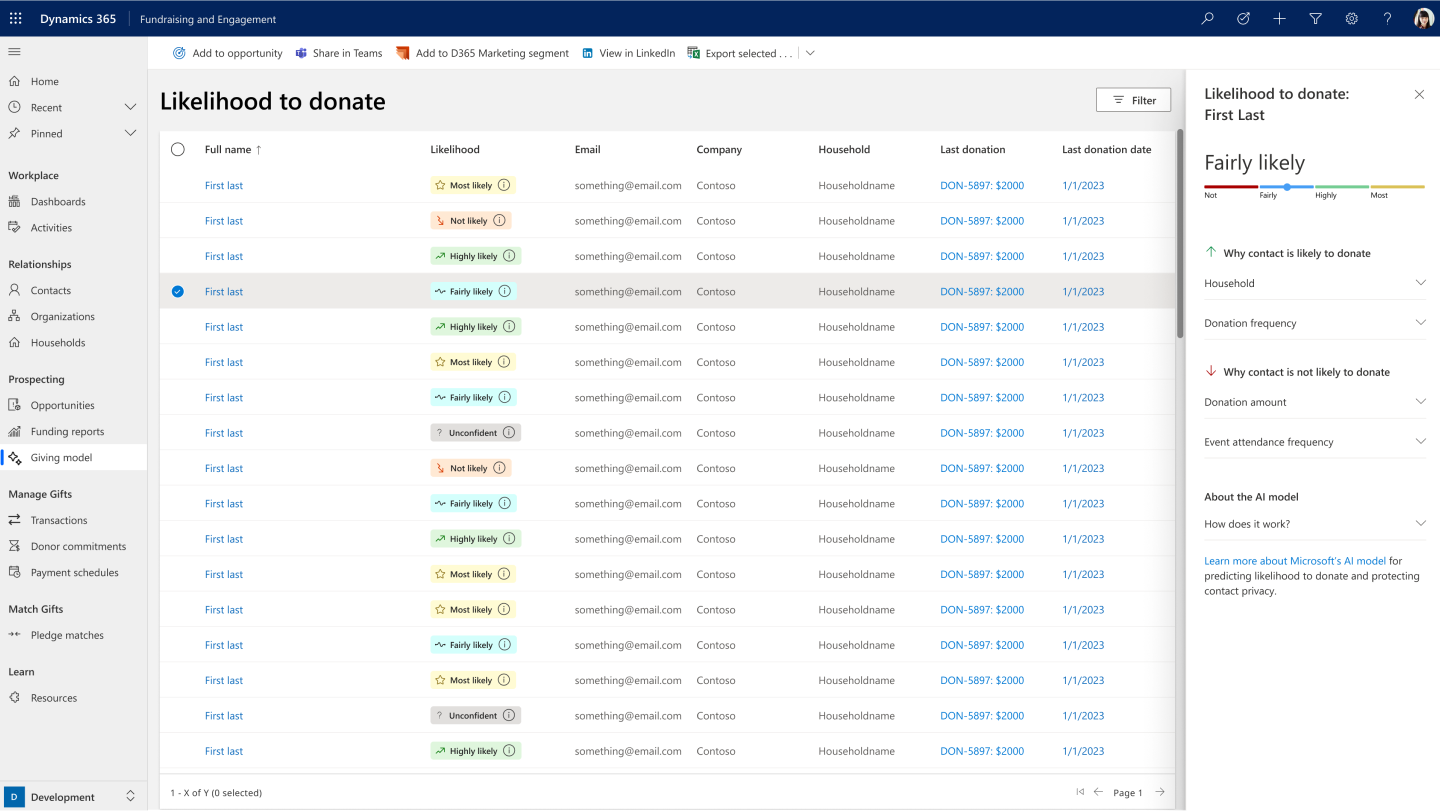
"I'd definitely want an advanced donor filter tool, it will help make my work so much easier. I can then focus on the talking."
- Participant 4, Foundational Research Study
When building AIs, it is absolutely vital to keep in mind the ethical obligations that we have to create models that behave responsibly. Transparency is a key piece of this; not only is it one of the 6 principles for responsible AI according to Microsoft, but it is also an important way to build the customers trust in the categorization that the model assigns.
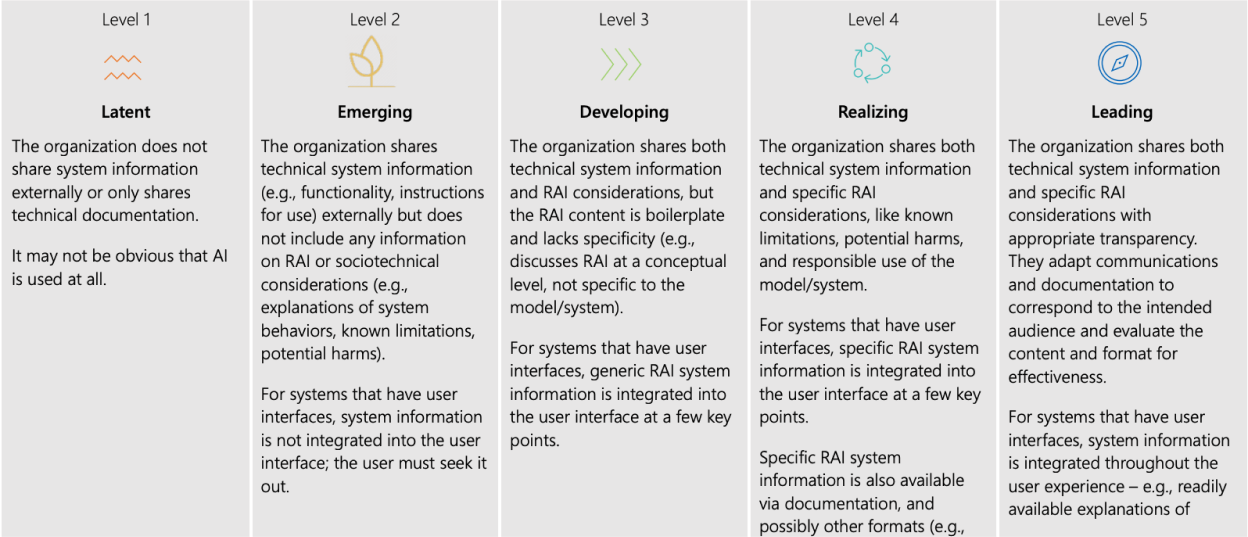
This sample is from the Microsoft Responsible AI Maturity Model, and is discussing the different stages of maturity when addressing external transparency of an AI model.
For our model, it was important for us to make sure that we were disclosing any inputs into the model decision to the customer. Selecting an input generates a panel that breaks down the categorization that the contact received. It includes factors that positively affect the chance to donate, as well as factors that may count against that chance. Each has an additional breakdown of the influential factors. There is also more information about the model, as well as links for people to dig into the technical details.
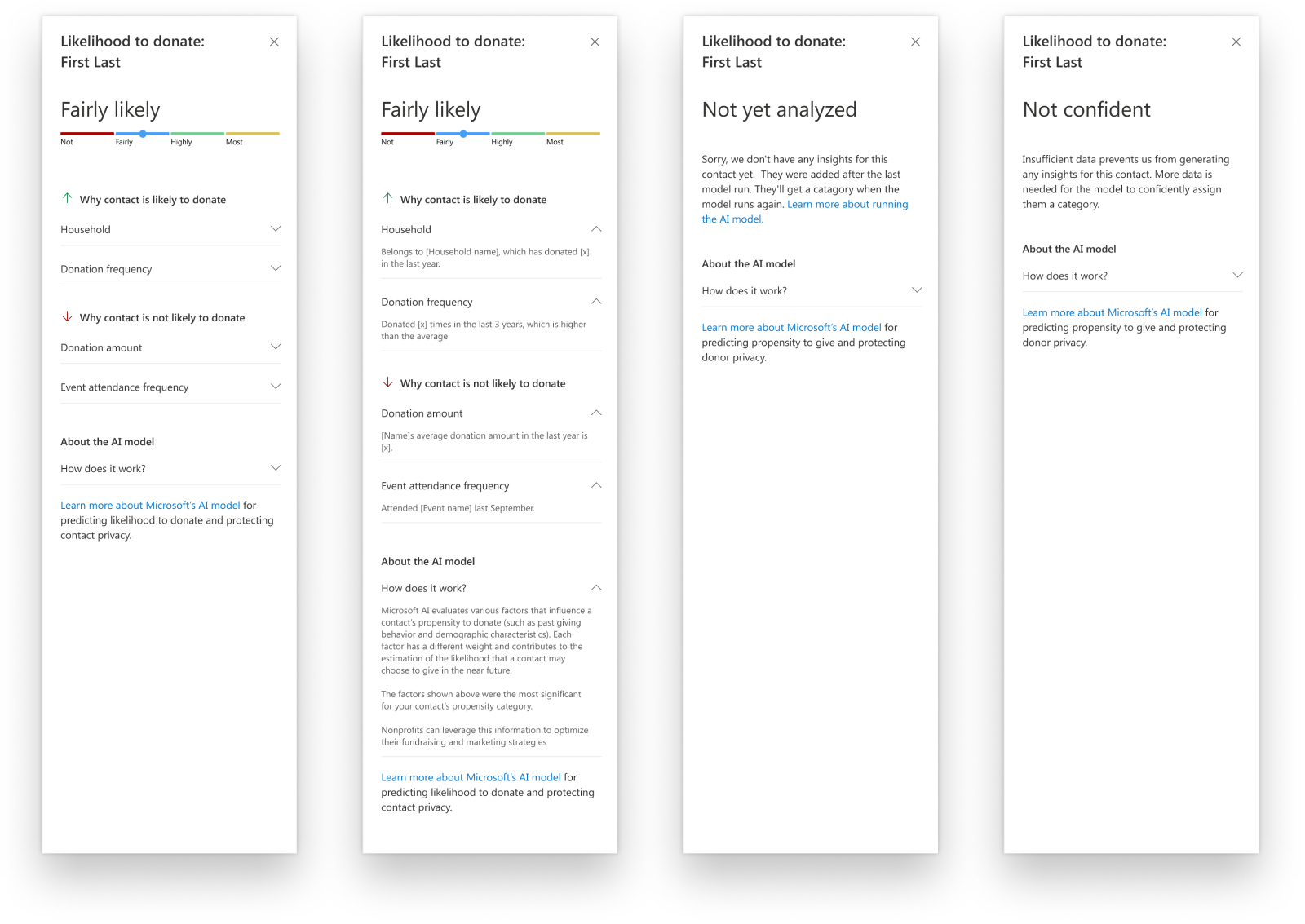
Design in practice:
Three levels of internal design validation
Stage 1: Core Triad iteration
Our product used a triad approach to individual feature ownership; three individuals, one each from design, product and engineering would meet very regularly to discuss both the current and future feature considerations, and any open questions we had. This meant our early design concepts had much better vetting from technical and business use cases, and meant we could build a collaboration model that worked well for the three of us.
Touchpoints: Semi-daily, a more casual collaboration model.
Artifacts: Sketches, wireframes, diagrams, one pagers, documentation
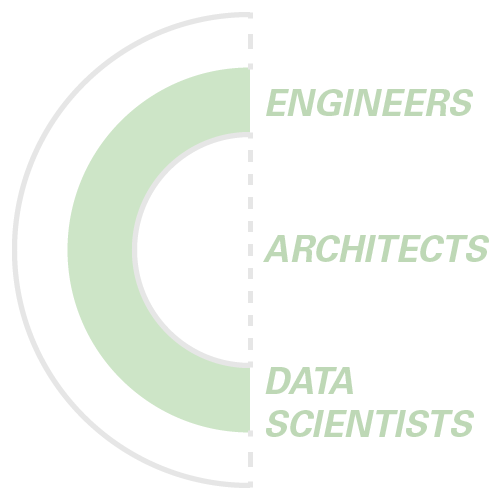
Stage 2: Engineering approval
I will always extol the value of designers having a tight collaboration with their engineering team. This was incredibly important at Nonprofit, where I would regularly meet with our team of engineers, data scientists and solution architects to identify the best path forward for bringing design concepts to reality. By then the biggest questions have been ironed out by the triad, so here we tend to be getting more into the weeds on technical details, component libraries and tech stacks. This helps the engineers to forecast the technical sizing of a feature well before it is developed, and also empowers them to have more stake in crafting the user experience.
Touchpoints: Semi-weekly
Artifacts: Comps representing different approaches, user journeys, information architecture, component libraries, documentation
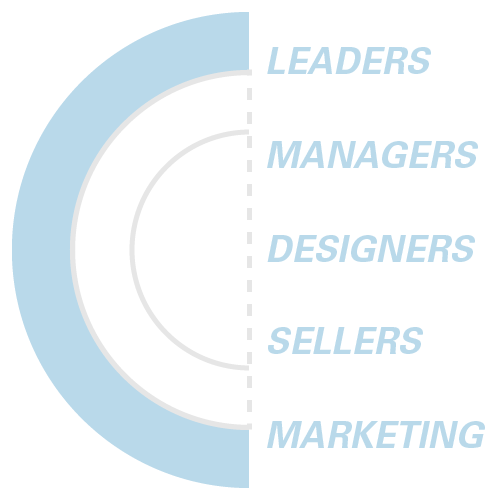
Stage 3: Product leadership buy-off
Visibility is hugely important at Microsoft, not just for my own career but for the success of the product development we plan to release. We want to make sure that any public release is fully understood and supported by our organization. To get there, we have leaders from many different disciplines that will want to give approval on the plan of development, such as marketing, product leadership, designers in our adjacent products, documentation writers, and many many more. These rounds of approvals are much more formal and usually manifest as a presentation, but the feedback can still lead to iterations on the design.
Touchpoints: Scheduled on a quarterly rhythm
Artifacts: Experience Reviews, Clickable Prototypes, PoC Development, Research Support
By following this iterative review strategy in both the design and development phase, we ended up quickly defining the scope of our MVP and getting buyoff from leadership for our first private preview. After that, the engineeering processes began in earnest.
Design Evolution: Generally Available
The team and I were able to get the first version of the model workspace released into a private preview, and got a number of our key customers to agree to deploy it in their own production environments. From there, it was my charter to look to the next step of the model: what we wanted to develop for a Generally Available release!
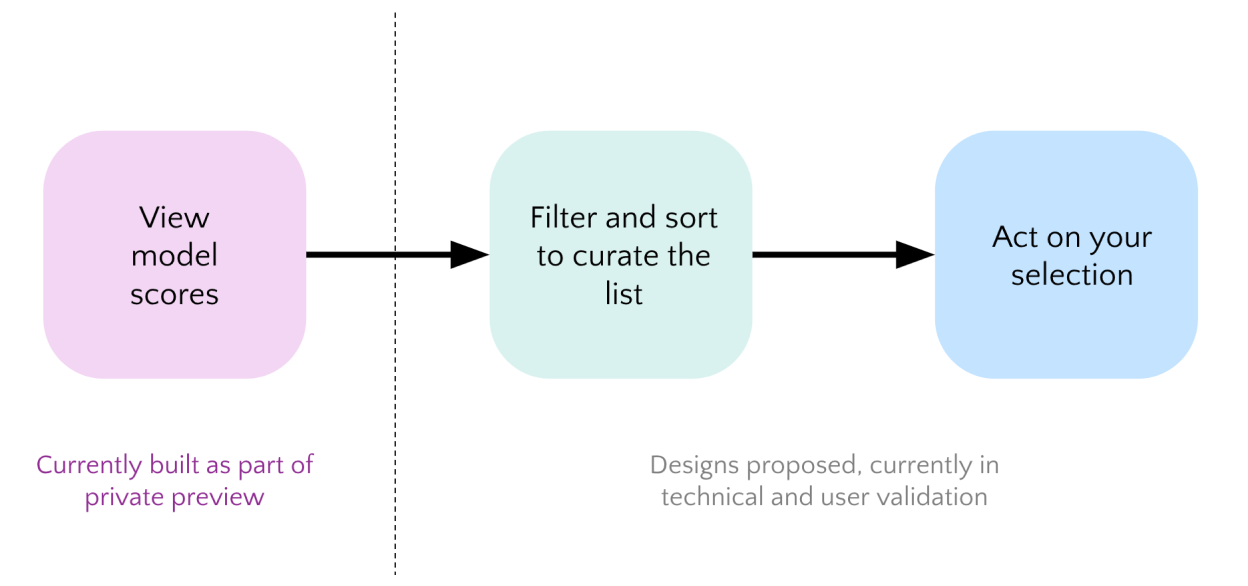
In the current state of the design, the model really only provided insights into your best prospects, with only basic functions to sort it available. The next stage was to take it to workflows; creating the best system possible to filter down to the prospects you want to focus on, and then take action on those in the CRM as well as third party programs...
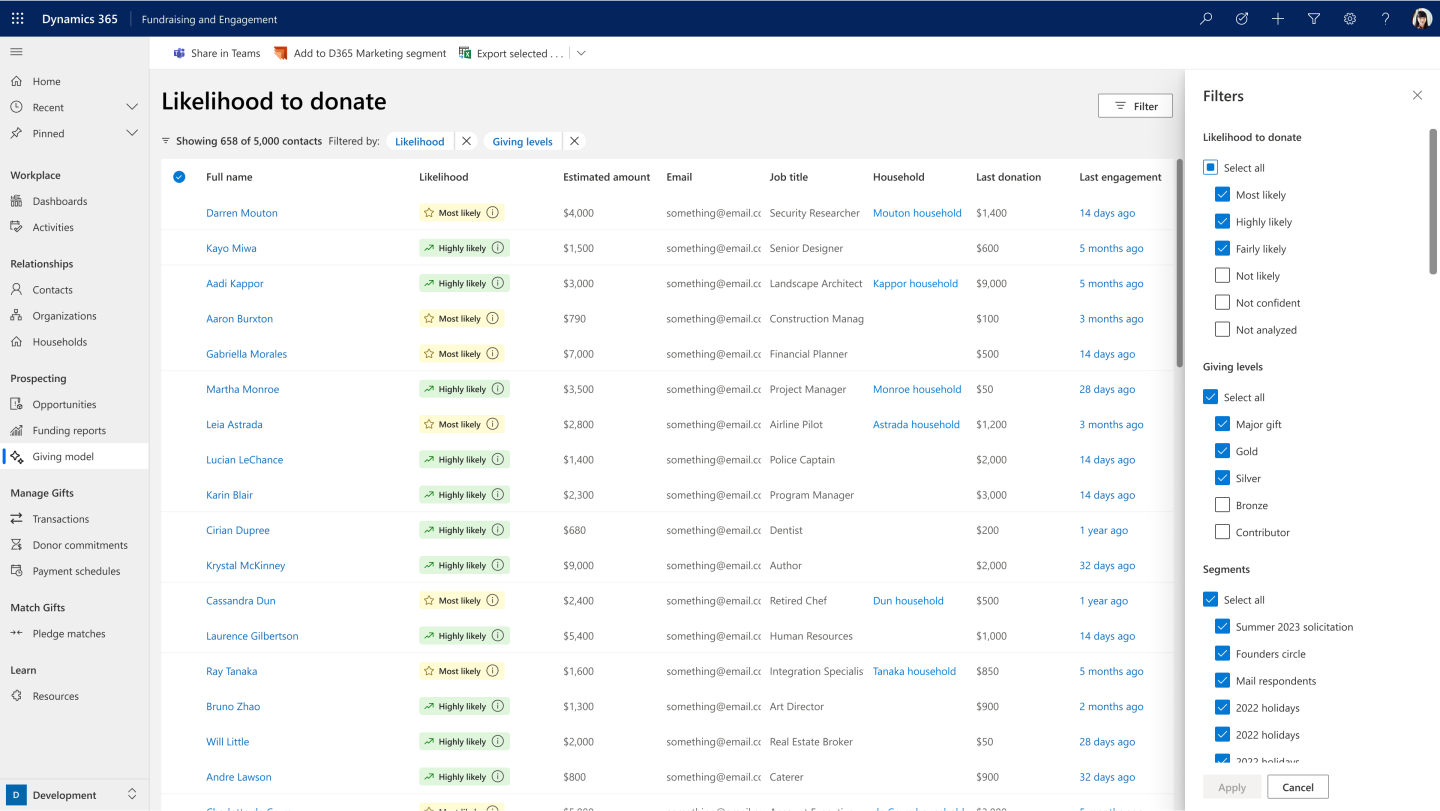
After we were able to identify our best options for displaying the results of the model, the next step in the customer journey was to refine it. Wer tested a large number of patterns for filtering the list down.
Once refinement of the model results was designed and scoped, via features like filtering (above), the final step of the workflow in our product was facilitating actions on that refined list...
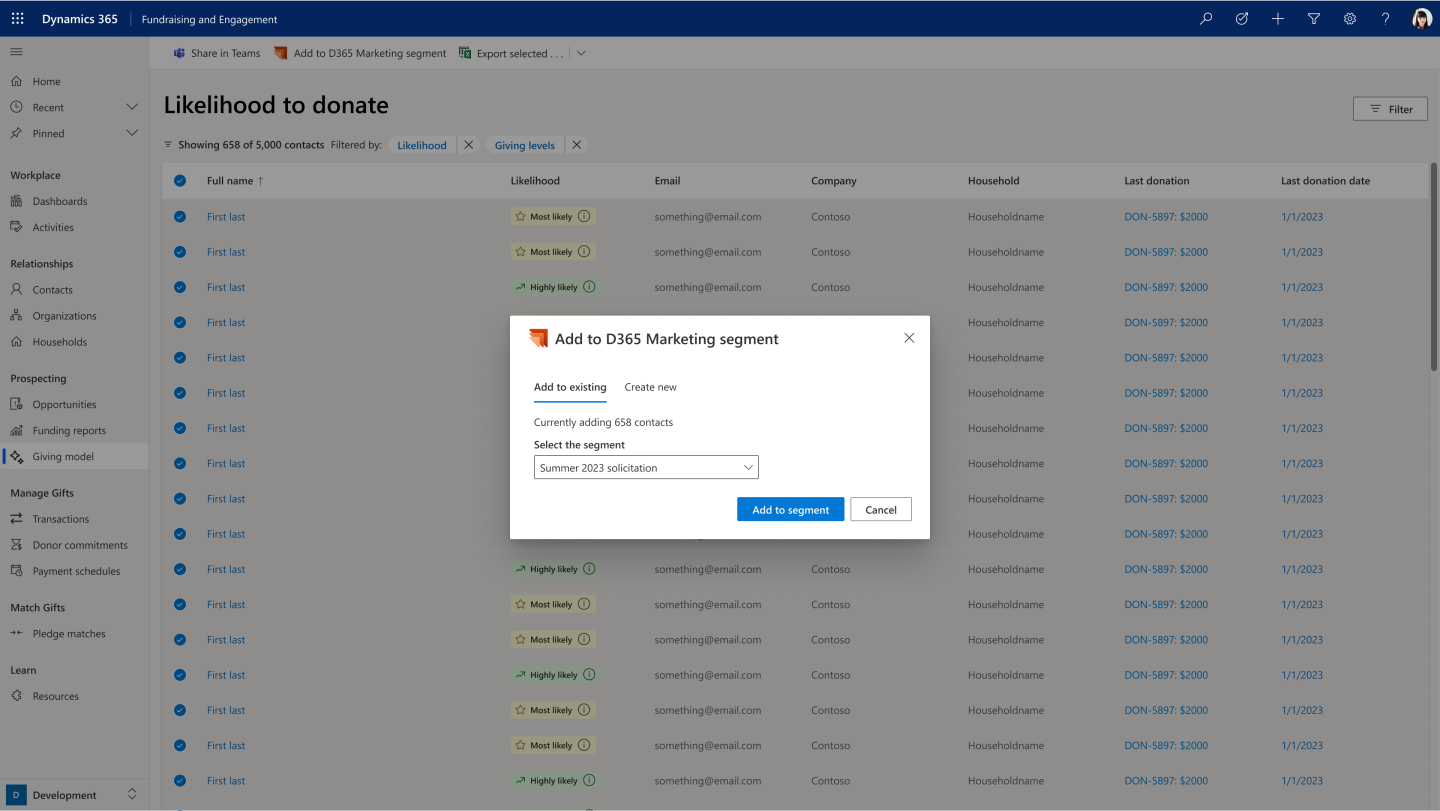
Creating pipelines to tools that we knew were important to our Nonprofit customers, such as Dynamics Marketing, would open up meaningful workflows in a bold new way.
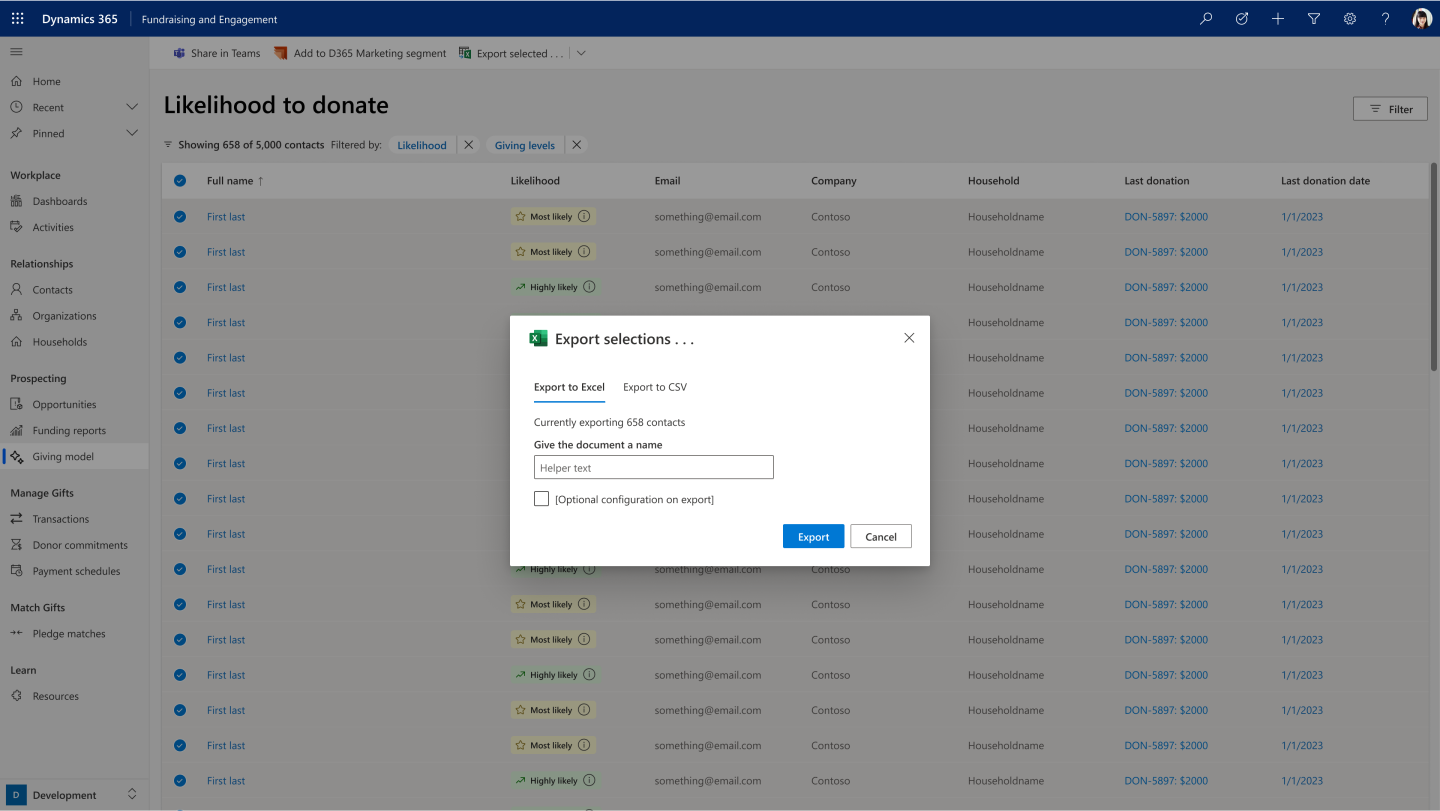
The ability to move selected data to and from Excel sheets was a top proiority. It allowed a pipeline to a massive amount of additional services, both first party and third party. It was a clear top priority when we stack ranked actions to prioritize for development.

These explorations of card-based actions was one of the alternative ways of approaching actions in a more linear flow. Each of these are prospective actions that our customers were interested in.
Looking Forward
This was only the beginning of our AI model development. The plan was to have the workspace that facilitates the categorization expand and grow to accommodate new models and insights as we continue to build in more customer value. This takes the design back to the start of the research cycle; we must continue to reevaluate our customers use of the current model and how it needs to grow and refine towards the future. These three methods are the main ways saught to inform this next step:
Other AI Models
Large Language Models (LLMs) embedded in the product
The biggest waves of AI innovation in recent times have been around large language models and generative models. Microsoft has taken charge in this and hopes to introduce more features like their Copilot experience into all of their product offerings. There has been plenty of innovative ways that these are continuing to be integrated into the user experience, and I was able to work on some concepts that catered to the nonprofit space.
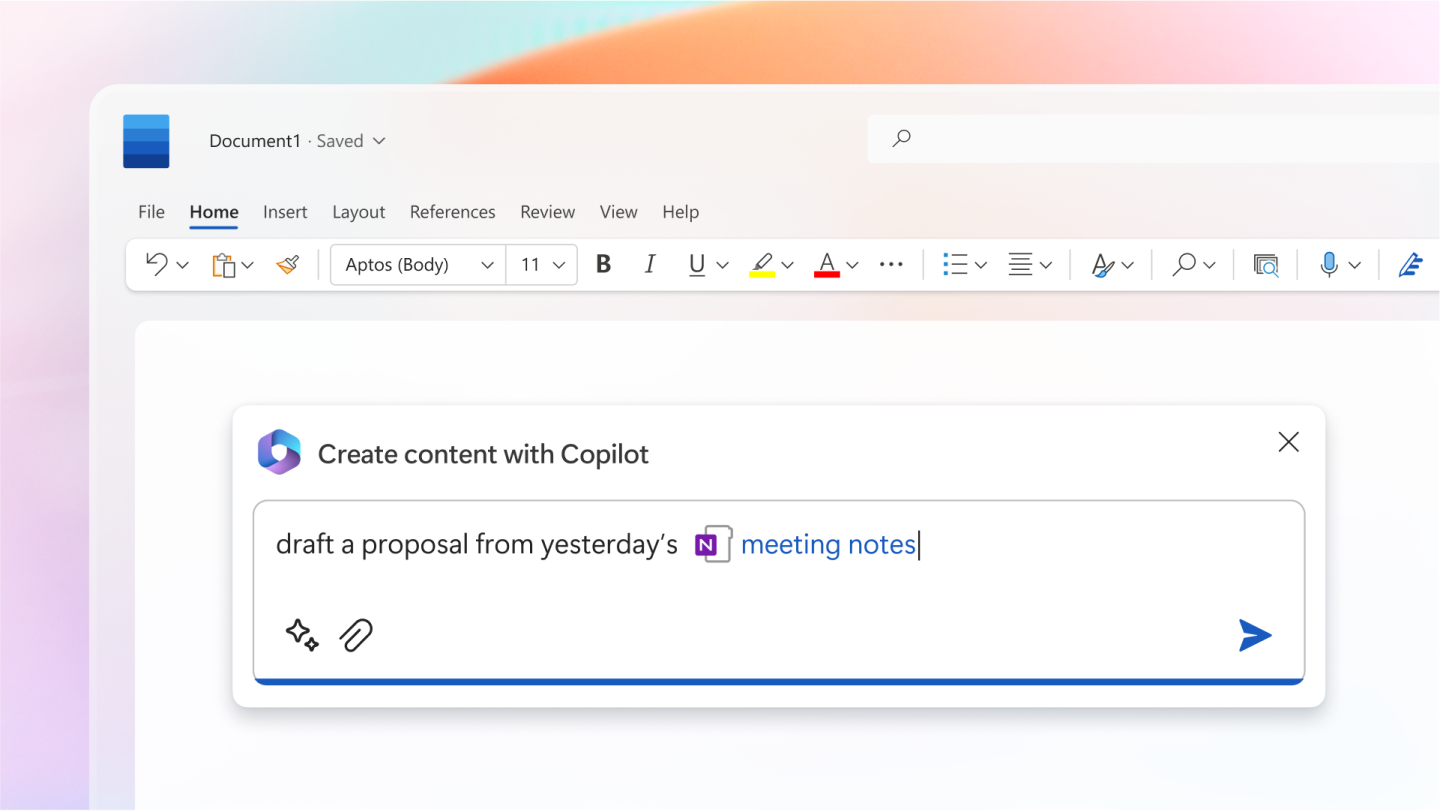
A promotional image of Copilot in Word. The last year has seen a huge jump in LLM products such as this representing a new frontier in the company and industry.
AI-powered Learning Management Systems (LMS)
Skilling and education is a huge part of many nonprofit missions, and there is a massive need for these tools to continue to innovated to reach the scale needed to have impact in emerging markets. We looked into ways that AI models could create better learning and retaining of information in a Learning Management System (LMS).
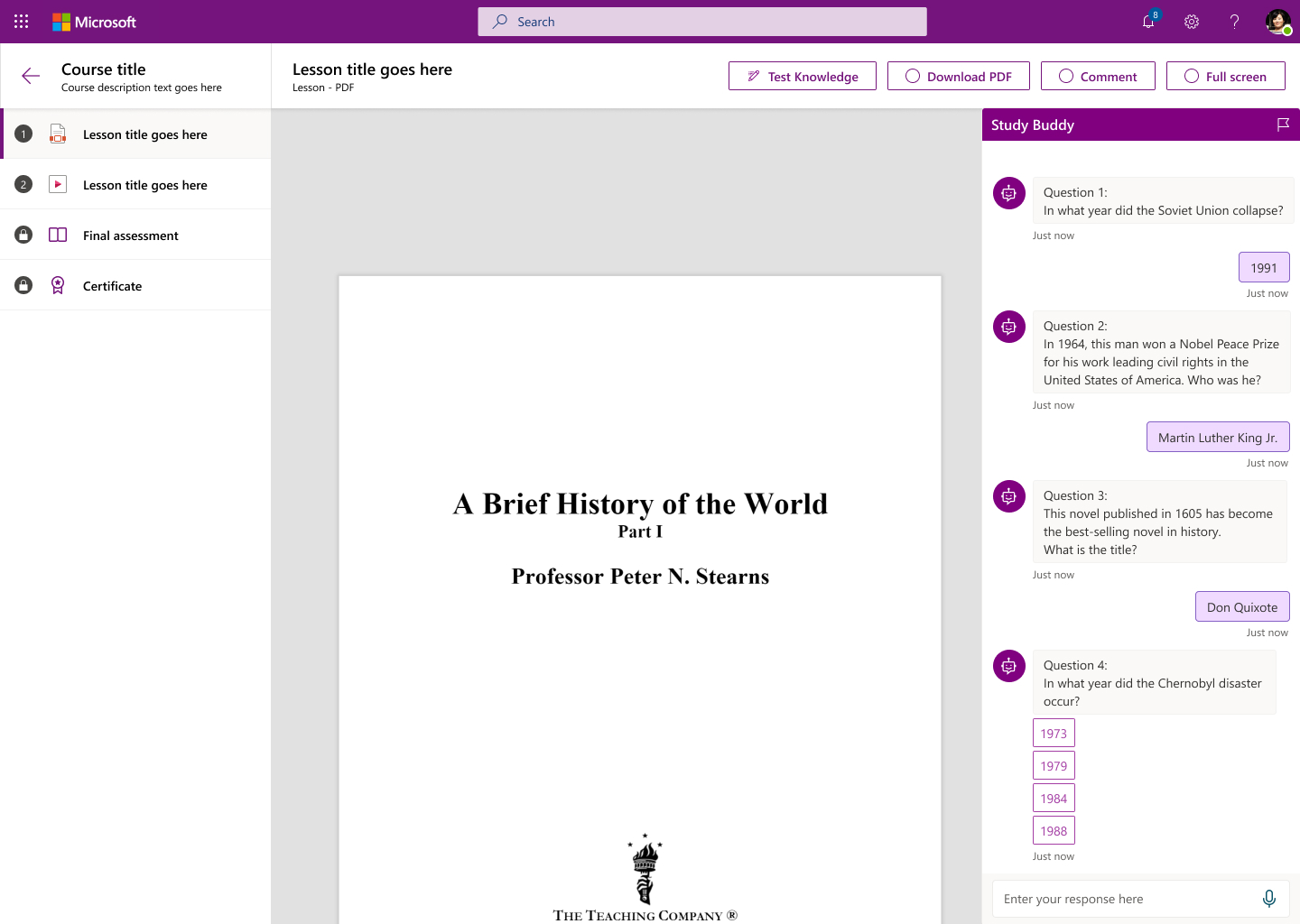
A concept for an AI-powered study assistant that we named "Study Buddy". It was able to analyse any document and creat basic knowledge testing quizes from the content. This was a supplemental service for Microsoft Community Training, a LMS designed to teach skills and literacy in developing regions via a low/no bandwith content service.